How to link ea account to steam is usually quick, but it can turn frustrating when Steam opens EA App, asks for the “wrong” email, or your game refuses to launch. This guide walks you through the clean way to connect your accounts, how to confirm it actually linked, and what to do when it doesn’t.
The reason this matters is simple: many EA titles on Steam require an EA account connection for ownership validation, cloud saves, and online services. If the link is off by even one old email address, you can end up stuck in loops, locked out of progression, or staring at an “unable to connect” message.

One quick note before you start: linking is typically designed as “one Steam account ↔ one EA account.” That sounds obvious, but it’s the #1 reason people get stuck when they’ve had multiple EA logins over the years.
What linking actually does (and what it doesn’t)
When you link Steam and EA, you’re allowing EA’s services to recognize your Steam purchase and attach it to an EA identity. In practice, that’s what lets an EA game launched from Steam authenticate, pull your online profile, and keep certain settings synced.
- It does: verify game ownership, enable EA online features, connect progression tied to the EA profile (varies by game), and route launches through EA App for many titles.
- It doesn’t: merge two EA accounts, move content between EA accounts, or guarantee cross-progression across platforms for every game.
According to EA Help, platform accounts can only be linked in specific ways and content entitlements are generally tied to the EA account you link, so choosing the correct email up front saves pain later.
Before you link: a 3-minute checklist that prevents most issues
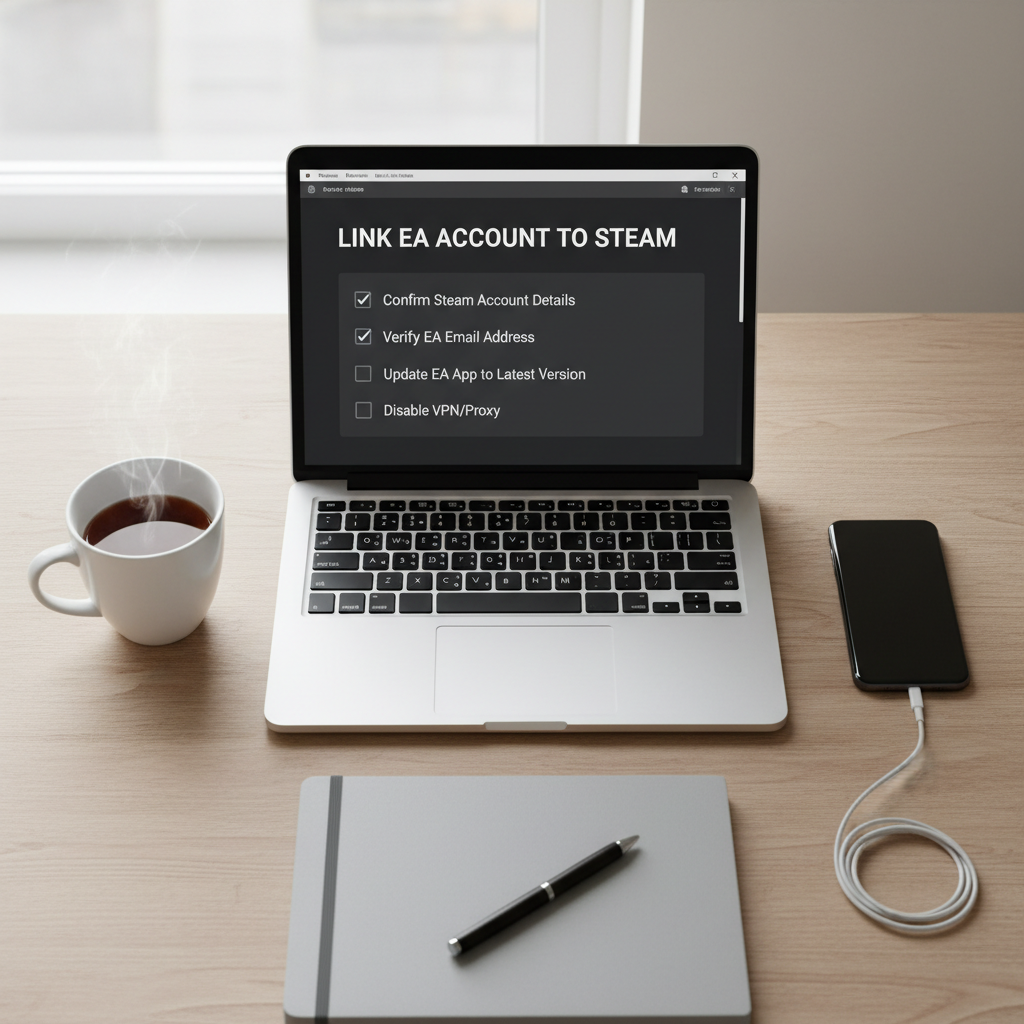
Do these small checks before you click anything, it reduces the chance you accidentally bind Steam to an old EA login you forgot existed.
- Confirm your Steam login: open Steam, click your profile name, make sure you’re on the right account (especially if you share a PC).
- Confirm your EA email: if you have multiple emails, decide which EA account should own the link long-term.
- Update EA App: outdated EA App builds are a common cause of “blank login” or failed handshakes.
- Turn off VPN/proxy temporarily: some login flows break when location or DNS looks unusual.
How to link EA account to Steam (step-by-step)
The most reliable method is to start from Steam by launching an EA game that requires EA App. That forces the official linking prompt rather than hunting settings menus.
Method A: Link during first launch (most common)
- In Steam, install the EA game (for example, an EA title that uses EA App).
- Click Play in Steam.
- When EA App opens, sign in to the EA account you actually want linked.
- Approve any prompts that mention connecting your Steam account to EA.
- Let the game finish launching once, then exit and relaunch to confirm it sticks.
Method B: You already have EA App installed and logged in
This can be smoother, but it can also “silently” link to the EA App session you’re currently using, even if that’s not the email you intended.
- Open EA App and sign out if you’re unsure which account is active.
- Close EA App completely (check the system tray, then quit).
- Launch the EA game from Steam again.
- Sign in when prompted, then approve the link.
If your goal is how to link ea account to steam without accidental account mix-ups, forcing a fresh sign-in during launch is the safer move.
How to confirm the link worked (quick checks)
Don’t assume it worked because the game launched once. Do at least one of these confirmations so you’re not surprised later.
- Re-launch test: close the game and EA App, then launch from Steam again. If it signs you in automatically without re-link prompts, that’s a good sign.
- EA account connections page: check your EA account settings for connected accounts (if visible in your region/account view).
- Multiplayer/online check: if the game uses EA online services, try signing into online play; a link problem often shows up here first.
Common problems (and what usually fixes them)
This is where most people burn time. The pattern is consistent: wrong EA account, cached credentials, or a stuck EA App session.
| Problem you see | Likely cause | What to try |
|---|---|---|
| EA App logs into an old email automatically | Saved session/cached login | Sign out in EA App, fully quit, relaunch from Steam, sign in with the intended EA account |
| “Something went wrong” during login/link | Network/VPN, temporary auth issue | Disable VPN, restart router/PC, update EA App, try again later |
| Game launches but online features unavailable | Link incomplete or EA services issue | Re-launch test, verify EA account connections, check EA server status |
| Steam says running, then stops | EA App not installed/blocked, permissions | Repair/ reinstall EA App, run EA App once as admin, allow through firewall |
| You want to link Steam to a different EA account | Linking limits and account history | Stop and confirm policies, then contact EA support if you need an account change |
According to Steam Support, third-party launchers and account systems are handled by the publisher, so when Steam itself looks fine but EA login fails, the fix usually lives in EA App and EA account settings rather than Steam menus.

Practical tips that make linking smoother (and avoid redoing it)
A few habits save you from “it worked yesterday, why not today” moments.
- Keep one EA account for PC purchases: if you also play on console, don’t casually create new EA accounts per platform, it gets messy fast.
- Use a password manager: reduces failed login attempts and accidental sign-ins to an old email.
- Don’t rush the prompt: if the EA login screen shows a prefilled email you don’t recognize, stop and back out, that’s usually the wrong account.
- Verify files after installing EA App: in Steam, verifying the game files can fix odd launch handoffs.
When you should contact EA Support (and what to prepare)
If you’re trying how to link ea account to steam but the Steam account already appears bound to an EA account you can’t access, DIY fixes might not be enough. Account linking changes can be restricted, and support may need to verify ownership.
- Contact support if you no longer have access to the old EA email or it was compromised.
- Contact support if the game is tied to the wrong EA identity and you can’t correct it through normal sign-in.
- Prepare: your Steam ID, EA email(s) you might have used, purchase receipts where relevant, and screenshots of the error.
According to EA Help, account recovery and linking issues often require verification steps, so having the details ready usually shortens the back-and-forth.
Key takeaways (so you don’t have to reread)
- Launch from Steam to link, and sign in to the EA account you want long-term.
- If the wrong EA email appears, sign out, fully quit EA App, then try again.
- Confirm the link by relaunching and checking connected accounts where available.
- Link changes can be limited, so avoid “testing” with random EA accounts.
Conclusion: link once, then verify it’s the right account
If you treat the link as a long-term pairing, not a quick login, the process is typically painless: launch the game from Steam, sign into the correct EA account, approve the connection, then do one quick re-launch to confirm everything sticks. If anything looks off, stop early and fix the account choice before you sink hours into installs and restarts.
If you’re linking today, your best next step is simple: pick the EA email you want to keep, sign out of any other EA sessions, then run the Steam launch flow once and verify.
FAQ
Why does Steam make me use EA App to play an EA game?
Many EA titles on Steam rely on EA services for authentication and online features, so Steam triggers EA App to handle sign-in and account linking. It’s normal, even if it feels like an extra step.
Can I link my Steam account to multiple EA accounts?
In most cases, no. The system is generally designed as a one-to-one link, which is why accidentally using an old EA login can cause headaches later.
I signed in to the wrong EA account, can I switch the link?
Sometimes you can by signing out and relaunching, but if the link is already established and restricted, you may need EA Support. Don’t keep retrying blindly, it can make the situation more confusing.
How do I know which EA account is currently linked to Steam?
Re-launching the game from Steam often reveals which EA identity is being used, because it auto-signs in. You can also check your EA account connections page if your account view shows connected platforms.
Does linking move my progress from EA App to Steam?
It depends on the game. Some progression is tied to the EA account (so it follows you), while other saves may be local or handled differently. When in doubt, assume progress stays with the EA identity, not the storefront.
What if my game won’t launch after linking?
Try the basics that actually matter here: fully quit EA App, update it, verify game files in Steam, and temporarily disable VPN. If the issue persists, checking EA server status can also save time.
Is it safe to unlink accounts?
Unlinking can have side effects on entitlements and access, and policies vary. If you’re doing it to fix a mistaken link, it’s often smarter to talk to EA Support first and confirm what might be affected.
If you’re trying to link accounts across multiple PCs or you’ve got years of old EA logins floating around, it’s often faster to map out which email you want to keep and clean up access first, then run the Steam launch flow once, calmly, and verify the connection before installing a full library.